Two screenshots per flag. Cogent reads both teams, you set the result — about 30 seconds a hit, roughly three minutes for a whole war.
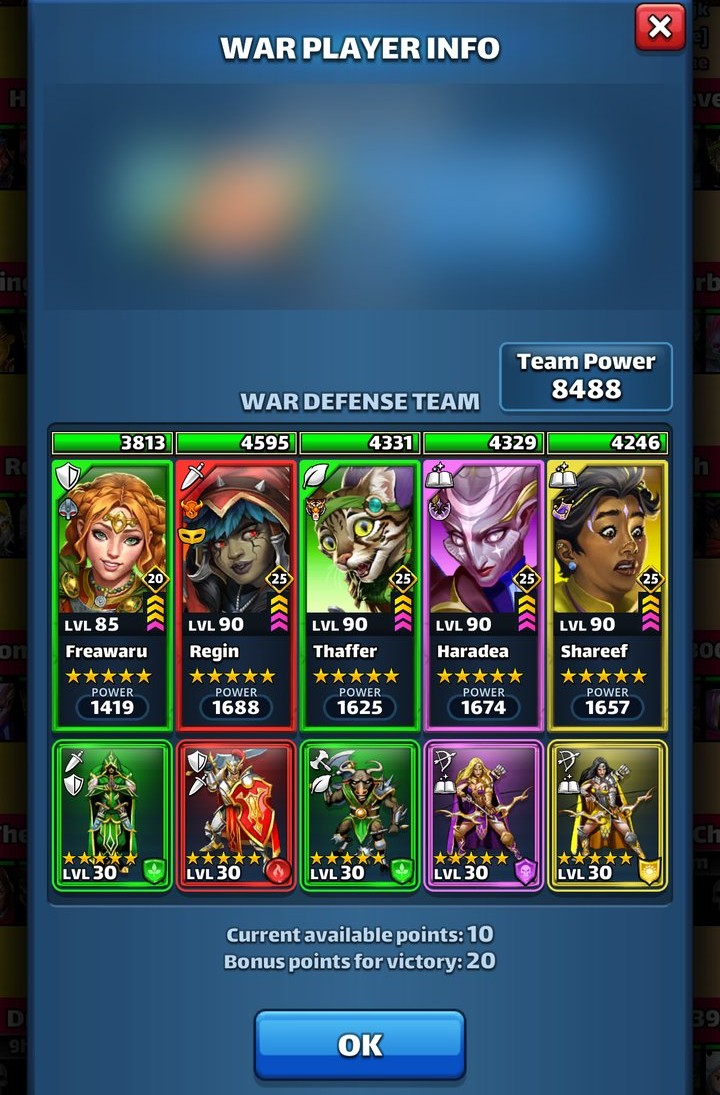
1In the war, tap your opponent to open War Player Info and screenshot their defense team. Hero names must be fully visible, so open the defense window before you shoot.
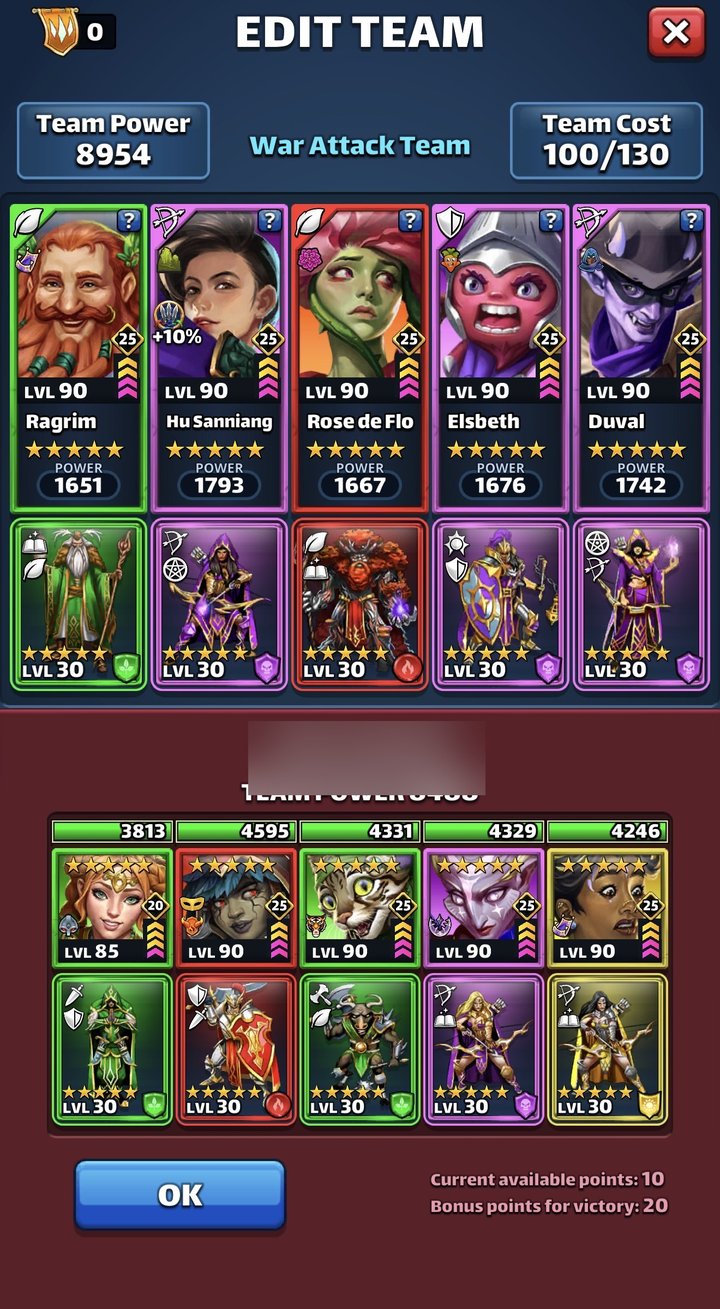
2After your hit, screenshot the five heroes you attacked with.
3In Cogent, open War Room, pick the war, tap the flag you used, and add both screenshots.
4Cogent fills in both teams. Set the result — one shot, clean, backup clean or fail — and it saves itself.
The defense shot to uploadThe offense shot to upload
Capture the screens WHILE the war is live; they disappear once it ends. The defense shot still works after that defense has been defeated.
If a screenshot doesn't read, tap the hero picker and search by name instead. Nothing is overwritten, so you can always redo a flag.